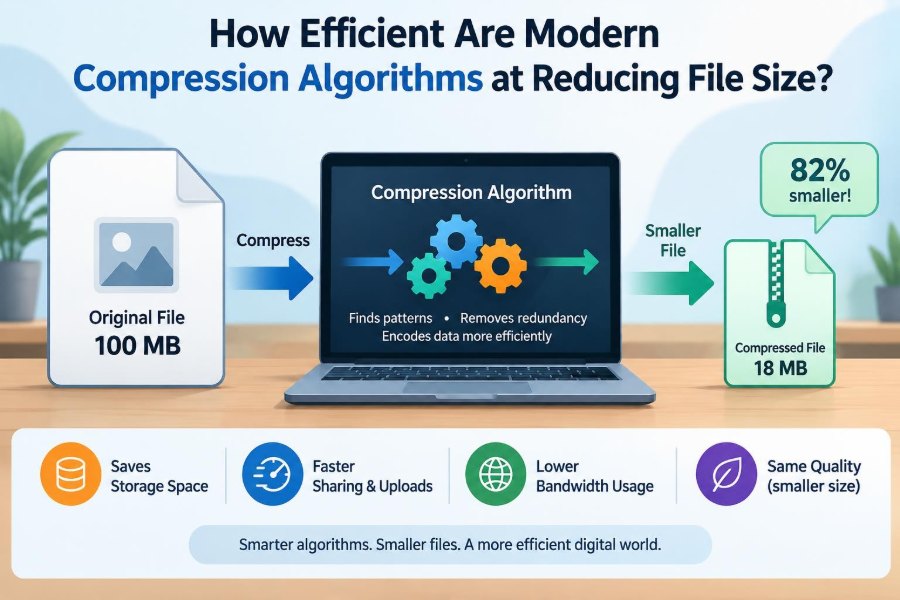

You download a photo album, save a presentation, or send a project folder—and suddenly file size matters. A document that feels tiny on a laptop can be slow to upload on a limited connection, expensive to store at scale, or too large for an email attachment.
Compression is the quiet technology behind many of these everyday moments. It helps web pages arrive faster, makes streaming practical, shrinks backups, and lets software packages fit into reasonable downloads.
But “compressed” does not always mean “much smaller.” A plain-text log may shrink dramatically, while a JPEG photo, MP3 song, or ZIP file may barely change at all. The result depends less on the file’s name than on the patterns already inside it.
Understanding that distinction makes it easier to choose the right tool, estimate results realistically, and avoid wasting time repeatedly compressing data that cannot usefully shrink further.
🗜️ What File Compression Actually Does
Compression represents information using fewer bits. Rather than changing the meaning of a file in a magical way, an algorithm looks for redundancy: predictable, repeated, or less important information that can be described more compactly.
Consider a file containing the word hello thousands of times. Storing each copy in full is wasteful. A compressor may store one representation plus instructions that effectively say “repeat this pattern.” Real algorithms do this far more carefully and on much more varied data.
The key limit is simple: data with few detectable patterns has little redundancy to remove. Compression cannot reliably make every possible file smaller.
📏 Measuring Compression Efficiency
People often describe compression with a percentage, but two related measurements are useful. The compression ratio compares original size to compressed size, while the space saving describes how much storage was removed.
If a 100 MB file becomes 25 MB, its compressed size is one quarter of the original. That can be described as a 4:1 ratio or a 75% reduction. Stating both the original and final size prevents confusion.
Efficiency also includes time and resources. An algorithm that produces the smallest archive may use substantially more CPU time or memory than one designed for rapid backups or web delivery.
🔁 The Patterns Algorithms Look For
Most compression methods exploit patterns at several levels. Repeated byte sequences are one kind, but algorithms can also use common symbols, predictable changes, repeated structures, and statistical tendencies.
- Repetition: the same text, pixels, or records appear again.
- Skewed frequency: some symbols occur much more often than others.
- Local similarity: nearby values change gradually, as in smooth image regions.
- Structure: a file follows a predictable format, such as rows in a CSV export.
Different algorithms recognize different kinds of patterns. This is why a method that excels on source code may not be the best choice for photographic images.
⚖️ Lossless and Lossy Compression
Lossless compression restores the exact original file after decompression. It is required for programs, databases, spreadsheets, legal records, source code, and any data where a single changed bit could matter.
Lossy compression permanently discards selected information to achieve much larger reductions. It is common for photos, audio, and video, where formats can remove details that are less likely to be noticed by people.
Neither approach is inherently superior. The right question is whether exact reconstruction is necessary and whether any visible or audible change is acceptable for the intended use.
📄 Why Text Often Compresses Well
Text files contain a small alphabet, frequent words, repeated punctuation, and recurring formatting. Code adds repeated keywords, indentation, braces, and identifier patterns. Logs often repeat timestamps, labels, and message templates.
For example, a server log may include the same status phrases on every line. A lossless compressor can encode those recurring parts efficiently while retaining every character exactly.
Results still vary. Encrypted text, already-compressed text embedded in a document, or short files may not shrink much because useful patterns are limited or archive overhead becomes significant.
🖼️ Why Images Behave Differently
Uncompressed bitmap images can contain abundant local similarity: neighboring pixels in a sky or wall often have related colors. Lossless image formats such as PNG use this predictability effectively, especially for screenshots, diagrams, and graphics with flat colors.
Photographs contain richer detail, texture, and noise. JPEG and newer image formats usually use lossy techniques because preserving every pixel exactly would require much larger files.
Trying to ZIP a JPEG generally produces little benefit. The JPEG encoder has already performed its own compression and left relatively little simple redundancy for a general-purpose archive to find.
🎵 Audio and Video Use Perceptual Shortcuts
Lossy media codecs do more than search for repeated bytes. They model aspects of human hearing or vision and allocate limited bits to information likely to be noticeable.
Audio codecs can reduce precision in sounds that are masked by louder nearby sounds. Video codecs can encode differences between frames instead of storing every frame independently, while also using spatial patterns within a frame.
This explains why video can become remarkably compact, but also why heavy compression may create blocking, smearing, ringing, distorted motion, or audio artifacts. The reduction is earned by decisions about what to retain.
🧩 Dictionary Compression in Plain Language
Many common lossless tools use a form of dictionary compression. As they read data, they track sequences seen before. When a sequence reappears, the output can refer back to an earlier occurrence instead of writing the full sequence again.
Imagine a book with a shorthand index: after defining a long recurring phrase once, later occurrences can point to its entry. LZ-based methods, used in formats such as ZIP, gzip, and many modern codecs, build on this broad idea.
A dictionary has practical limits. It can only remember a certain amount of prior data, so patterns separated by a very long distance may be harder to exploit.
🔤 Entropy Coding Makes Common Data Cheap
After identifying patterns, a compressor often uses entropy coding to represent common symbols with fewer bits than uncommon ones. Huffman coding and arithmetic-style methods are classic examples of this general strategy.
This resembles assigning short abbreviations to frequent words and longer ones to rare words. The average message becomes smaller, even though not every item gets a shorter representation.
Entropy coding works best when symbol frequencies are uneven and reasonably predictable. When values are close to uniformly random, there is little statistical advantage to capture.
🎲 Random-Looking Data Resists Compression
A file may look complicated to a person and still compress well if it has regular rules. Conversely, data that looks random to a compressor is hard to reduce, even if it came from an ordinary application.
Encrypted data is intentionally designed to appear patternless. Secure hashes and many cryptographic outputs have similar properties. A competent compressor should not be expected to shrink them consistently.
In fact, compression can sometimes make such data slightly larger because the output needs headers, settings, and bookkeeping information. This is normal, not evidence that the tool failed.
📦 Archive Formats Are Not All the Same
ZIP is a familiar archive format, but it is not a single universal compression method. An archive may bundle files, preserve directory structure, store metadata, and apply one of several compression options—or no compression at all.
Other formats often prioritize different trade-offs: rapid decompression, high compression density, streaming use, recovery features, or broad operating-system compatibility. The extension alone does not reveal every technical choice.
For practical work, compatibility can be more valuable than a slightly smaller file. A recipient who cannot conveniently open an archive gains nothing from its excellent ratio.
⚡ Compression Speed Versus Final Size
Compression settings commonly range from fast to maximum. Faster modes spend less time searching for long or complex matches; stronger modes search more aggressively and may use larger dictionaries or more memory.
The smallest possible output is not always worth pursuing. Compressing a daily backup for hours to save a modest amount of storage may be a poor trade if restoration speed and operational simplicity matter more.
Decompression is often faster than compression, but this is not guaranteed. Workloads such as game assets, web services, and data pipelines choose formats partly based on how quickly data must be read.
🧠 Memory Is Part of the Cost
High-ratio compressors may require substantial working memory, especially with large dictionaries or sophisticated models. That can be acceptable on a server but inconvenient on a phone, embedded device, or memory-constrained virtual machine.
Memory needs affect both creation and extraction. A team designing a distributable archive should consider the least capable device expected to process it, not only the computer used to build it.
This is one reason “best compression” is context-dependent. A slightly larger file that opens promptly everywhere can be the better engineering choice.
🌐 Compression on the Web
Web servers commonly compress text-based responses such as HTML, CSS, JavaScript, JSON, and SVG before sending them. This can reduce transferred bytes substantially when the content is not already compressed.
Modern web compression often uses formats optimized for network delivery, but the server must balance CPU time against bandwidth savings. Compressing every response at the most expensive setting can increase load and delay responses.
Already-compressed assets—such as JPEG images, most video, and many font or archive files—are normally sent as they are. Recompressing them usually consumes processing time for negligible savings.
📡 Network Savings Are Not the Whole Story
Smaller transfers can improve download time, lower bandwidth use, and help on slower or metered connections. Yet compression also introduces CPU work at one end and decompression work at the other.
For a large, highly repetitive response, the trade is often favorable. For a tiny message, headers and processing may outweigh the saved bytes. Latency, caching, and connection setup can also dominate a small transfer’s total time.
Good systems measure the whole path rather than assuming smaller payloads always produce proportionally faster experiences.
🗃️ Backups Reward Redundancy
Backup data often contains repeated operating-system files, templates, database exports, and similar versions of documents. Compression can reduce the storage footprint, and deduplication can go further by storing identical blocks only once.
These techniques are related but distinct. Compression describes patterns within data; deduplication avoids storing duplicate chunks across files or versions. A backup system may use either or both.
Encrypted backups deserve special planning. Encrypting data before a backup tool sees it can prevent cross-file pattern detection, while compressing before encryption generally preserves compression opportunities.
🧪 File Type Matters More Than File Size
A 10 GB database dump may compress exceptionally well if it contains repeated text and predictable records. A 10 GB collection of high-quality video may barely shrink because each video file is already heavily encoded.
| Typical data | Expected general behavior | Useful approach |
|---|---|---|
| Plain text, logs, CSV | Often compresses well | Use a lossless archive or stream compressor |
| Source code and documents | Often compresses well | Use lossless compression for exact recovery |
| PNG screenshots | May shrink somewhat | Test; image optimization may help more |
| JPEG, MP3, video | Usually little additional shrinkage | Re-encode only if quality trade-offs are acceptable |
| Encrypted archives | Usually resists compression | Compress before encryption when appropriate |
These are practical tendencies, not guarantees. The only dependable way to know a particular file’s result is to test it with representative data.
🔄 Why Recompressing Files Usually Fails
Putting an archive inside another archive is a common attempt to save extra space. It rarely helps because the first compression stage has already removed the straightforward patterns the second stage would need.
The same applies to repeatedly saving a lossy image or audio file at lower quality. It may create a smaller file, but it cannot recover details lost earlier; repeated lossy encoding can gradually add artifacts.
When a file is already compressed, better results usually require changing the original encoding settings or using the source material—not applying another generic ZIP layer.
🎚️ Quality Settings Change the Trade-Off
Lossy formats expose choices such as image quality, audio bitrate, video bitrate, dimensions, frame rate, or chroma detail. Lower settings may reduce size dramatically, but the result depends on the media and viewing conditions.
A small image viewed on a phone can tolerate different settings from a product photograph intended for zooming or printing. A lecture recording can tolerate different audio choices from a music release.
Use a representative preview, not a single easy example. Fine text, skin tones, gradients, fast motion, and detailed foliage often reveal artifacts more clearly than simple scenes.
🔍 Testing Compression Properly
A useful test begins with a copy of representative files. Include the types people actually create and use, rather than relying only on a convenient folder full of text documents.
- Record original sizes and the time required to compress.
- Test candidate formats and realistic settings.
- Measure output size, compression time, decompression time, and memory behavior.
- Verify lossless archives by extracting and checking that files open correctly.
- For lossy media, inspect or listen under normal use conditions.
For recurring workflows, retest when file types, hardware, or software versions change. A result from one dataset should not be treated as a universal benchmark.
✅ Verification Protects Against Bad Assumptions
Compression is not a backup by itself. An archive can be corrupted, passwords can be lost, and extraction software can differ across systems. Important data needs separate copies and a recovery process that has been tested.
For lossless archives, integrity checks can detect accidental corruption when supported by the tool or workflow. The strongest practical check is to restore sample files and confirm that the restored data is usable.
For lossy media, verification includes suitability. A technically valid video is not a successful result if critical labels are unreadable or speech is difficult to understand.
🔐 Compression and Security Need Careful Ordering
Compression and encryption solve different problems. Compression reduces redundancy; encryption hides patterns and protects confidentiality. Because encryption removes useful visible patterns, data is usually compressed before it is encrypted.
There are exceptions in complex protocols and security-sensitive applications. In some contexts, combining attacker-influenced compression with secret data can reveal information through changes in compressed size. Developers should follow established protocol guidance rather than adding compression casually around sensitive traffic.
For ordinary file handling, the practical rule remains clear: archive first if useful, encrypt with trusted tools if confidentiality is required, and keep recovery credentials safely managed.
🧱 Already-Compressed Data Can Be Stored Directly
Many archive tools offer a “store” option that bundles files without attempting compression. This can be sensible for videos, JPEGs, encrypted files, or other data that will not shrink meaningfully.
Storing such files avoids spending CPU time on an ineffective compression pass. It can also make archive creation more predictable in workflows that handle large media collections.
The archive still provides organizational value: one file to transfer, a preserved folder layout, and optional integrity or encryption features depending on the format and tool.
📱 Mobile and Edge Devices Favor Fast Decoding
On phones and low-power devices, battery use, memory limits, and responsiveness shape compression decisions. A compact asset is useful only if decoding it does not create noticeable delays or excessive energy use.
Applications often choose formats that decode efficiently because files may be read frequently. A rarely downloaded archive can justify a slower, denser format; a user-interface resource loaded repeatedly may not.
Network conditions matter too. A device on a slow connection benefits more from reduced transfer size than one connected to a fast local network, but CPU cost still cannot be ignored.
🏗️ Compression in Databases and Analytics
Databases and analytical systems frequently compress columns, pages, or blocks rather than treating an entire dataset as one file. Values in a column often share a type, range, or repeated categories, giving the system useful structure.
Some methods encode repeated values, small differences between sorted numbers, or dictionary references for common labels. These designs can reduce storage and improve cache efficiency, which may speed reads by moving fewer bytes from storage.
Compression can also add CPU work and complicate updates. Systems therefore select schemes according to read patterns, write frequency, and the shape of the data.
🧰 Choosing a Tool for the Job
Start with the requirement, not a favorite file extension. Ask whether the output must be exact, who must open it, whether transfer or storage is the bottleneck, and how often the data will be decompressed.
- Choose broad compatibility for sharing with unknown recipients.
- Choose a fast codec for frequent reads and time-sensitive workflows.
- Choose stronger lossless compression for archival data that is rarely accessed.
- Choose a carefully tested lossy media format when visual or audio quality can be traded for size.
- Choose built-in application formats when they preserve editing features you need.
A good choice is one that meets the complete workflow, not just the smallest number shown in a file browser.
🚫 Common Compression Mistakes
One mistake is expecting a dramatic reduction from every file. This leads to wasted time and disappointment with media or encrypted data that was already optimized.
Another is using lossy conversion as though it were harmless. Converting the only copy of a photo, recording, or design asset can permanently discard details needed later. Keep originals when future editing or higher-quality output is possible.
A third mistake is treating maximum settings as automatically professional. The best setting is the one whose space saving justifies its delay, resource use, compatibility limits, and any quality cost.
📈 What “Modern” Algorithms Improve
Modern compression work often improves the practical balance between size, speed, memory use, and hardware support. Newer codecs may find patterns more effectively, encode statistics more efficiently, or decode rapidly on common devices.
They do not repeal information limits. If an older method cannot find redundancy in a particular encrypted or already-compressed file, a newer one may make only a small difference.
Progress is most meaningful when matched to a workload. A newer format can be excellent for web text, backups, or game distribution while offering little advantage for a folder of already-encoded media.
🧭 A Realistic Way to Estimate Results
Before committing to a storage plan, classify the data. Separate raw text and structured exports from photos, video, archives, application installers, and encrypted material. Their behavior is likely to differ.
Then test a representative sample at the settings you would actually deploy. Include the cost of processing and restoration, not only the final size. If data will grow over time, test enough variety to avoid basing a decision on one unusually repetitive file.
This approach replaces guesswork with evidence while acknowledging that compression ratios naturally vary from file to file.
🎯 The Core Principle: Match Data to Method
Modern compression algorithms can be extremely efficient when data contains patterns they are designed to exploit. Text, structured records, repeated assets, and raw media often offer substantial opportunities; already-compressed and encrypted content usually does not.
The important trade-off is broader than bytes saved. Exactness, visual quality, CPU time, memory, transfer speed, compatibility, energy use, and recovery needs all influence whether a compression choice is successful.
Think of compression as a tailored description of data, not a universal shrinking machine. The more accurately the method fits the content and use case, the more useful its efficiency becomes.
Effective compression is not about choosing the strongest algorithm; it is about choosing the right balance of size, speed, quality, and reliability for the data you actually have. Test representative files, preserve originals when quality matters, and let real requirements guide the setting you use. 💻🗜️📦