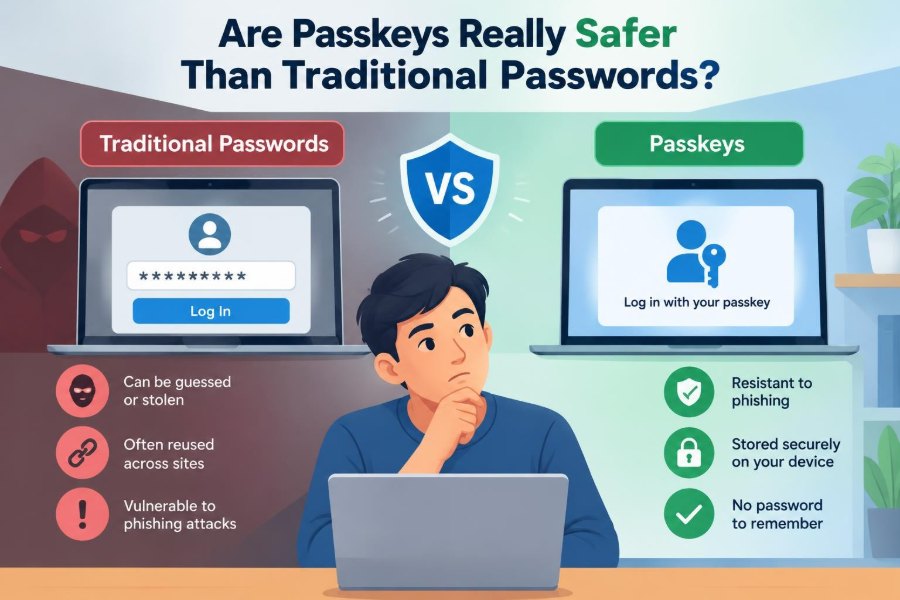

You are signing in to a familiar service on a new laptop. The site asks for your password, and you pause: was it the long one with the punctuation, or the one you changed after last year’s security alert?
That small moment captures a larger problem. Passwords ask people to remember secrets, create different versions for different sites, and recognize convincing fakes under time pressure. Even careful people can make a costly mistake.
Passkeys promise a different experience. Instead of typing a secret, you approve a sign-in with your phone, fingerprint, face, or device PIN. It can feel almost too easy, which naturally raises a sensible question: is it actually safer?
The short answer is that passkeys remove several major password risks, especially phishing and password reuse. They are not magic, though. Their safety still depends on device security, recovery options, and the way people manage their accounts.
🔐 What a Passkey Is
A passkey is a credential used to sign in without a password. It is based on public-key cryptography: your device holds a private key, while the service stores a related public key.
The private key stays protected on your device or in a credential manager. Unlike a password, it is not a secret you type into a website or routinely hand over to a remote server.
🧩 Why Passwords Are So Difficult
A password has to be both memorable and hard for others to guess. Those goals often conflict. People understandably reuse passwords, change them in predictable ways, or choose patterns that are easier to recall.
Security guidance has increasingly emphasized unique, long passwords stored in a password manager. That approach is strong, but it asks users to adopt and consistently use another tool.
🗝️ The Public-Key Idea in Plain Language
Imagine a padlock and its key. You can give the padlock to a website, but you keep the key. The website can use the padlock to verify that the matching key was used, without receiving the key itself.
Passkeys work through more sophisticated mathematics than a physical lock, but the useful point is simple: the service can verify a sign-in without storing the secret that performs it.
📱 What Happens During a Passkey Sign-In
When you select a passkey sign-in, the website sends your device a one-time cryptographic challenge. Your device verifies that you are present, usually through a biometric check or local device PIN, then signs that challenge.
The site checks the signature with the public key it already has. Each challenge is new, so a previous sign-in response cannot simply be replayed later.
🧭 Biometric Checks Are Not the Passkey
Fingerprints and face recognition are often part of the experience, but they are usually a local unlock method. They confirm that someone authorized to use the device is approving the action.
The website generally receives a cryptographic proof, not your fingerprint image or face scan. A device PIN can usually serve the same role when biometrics are unavailable or fail.
🎣 Why Passkeys Resist Phishing
Phishing works when a fake site persuades someone to enter a real password. Because a password can be typed anywhere, a convincing imitation can capture it and use it immediately.
Passkeys are tied to the legitimate site’s web origin, meaning its exact web identity. A passkey created for one site should not authenticate to a lookalike domain, even if the page looks nearly identical.
This is one of their biggest advantages. Users still need to avoid suspicious downloads and fake support requests, but the common “type your password here” trap becomes much less useful.
🔁 Password Reuse Stops Being the Default Risk
One password reused across several services creates a chain of exposure. If one service is breached and the password is later cracked or otherwise obtained, attackers may try it on email, shopping, banking, and workplace accounts.
A passkey is specific to one service. There is no single typed secret to recycle across unrelated accounts, so a breach at one service does not create the same kind of credential-stuffing opportunity elsewhere.
🗄️ What a Website Stores Instead
With password authentication, services should store a salted, slow cryptographic password verifier rather than the password itself. Good storage reduces harm, but poorly protected passwords can still be guessed offline if stolen.
With passkeys, the service stores public-key material and related credential information. Public keys are designed to be public; they cannot normally be used to derive the private key needed for sign-in.
⚖️ Passkeys and Passwords Compared
| Question | Traditional password | Passkey |
|---|---|---|
| What does the user provide? | A remembered secret | A device-approved cryptographic signature |
| Can a fake site capture it? | Often, if the user enters it | Designed not to work for the wrong site identity |
| Can it be reused across sites? | Yes, and often is | No; credentials are site-specific |
| What must be protected? | Password and recovery channels | Devices, synced credentials, and recovery channels |
| Does it eliminate all account risk? | No | No |
🧠 Strong Passwords Still Have a Place
Many sites do not yet support passkeys, and some accounts will retain passwords as a fallback. A unique, long password generated and stored by a reputable password manager remains a practical defense.
Passkeys are best understood as an improvement to authentication, not a reason to become careless with the accounts that still use passwords.
🔒 Why a Device Lock Matters More
A passkey is useful only if the device or account holding it is well protected. Use a strong device PIN or password, enable biometric unlock if it suits you, and configure automatic locking.
Someone who gains access to an unlocked phone or computer may be able to approve sign-ins. The exact protections vary by operating system, device settings, and whether the person knows your device unlock code.
☁️ Synced Passkeys and Their Trade-Off
Many ecosystems can securely synchronize passkeys between a person’s devices. This is convenient: a new phone need not mean starting every account setup from scratch.
Synchronization also concentrates trust in the account that performs the sync. Protect that account with its strongest available sign-in methods, review its recovery settings, and secure every device signed into it.
💻 Using a Phone to Sign In Elsewhere
You can sometimes use a passkey on your phone to sign in to a nearby computer that does not hold that passkey. The devices typically use a proximity check, often involving Bluetooth, to reduce the chance of remote misuse.
Read the prompt before approving it. The convenience is valuable, but approving an unexpected request is still a poor habit.
🧳 What Happens When You Lose a Device
Losing a phone does not automatically mean losing every account. If passkeys are synchronized, another signed-in device may still have them. Device-finding and remote-locking features can also limit exposure.
Act quickly: mark the device lost, lock or erase it when appropriate, remove its access from important accounts, and check your recovery options. Preparation makes this far less stressful.
🛟 Account Recovery Is the Critical Weak Point
Authentication can be very strong while recovery remains weak. If an account lets an attacker reset access through a compromised email inbox, an exposed recovery code, or a poorly verified support request, the passkey alone cannot solve that problem.
For important accounts, review recovery email addresses, phone numbers, backup codes, trusted devices, and support procedures. Treat recovery routes as seriously as the primary sign-in method.
📨 Phone Numbers Are Not Ideal Security Anchors
Text-message codes can be useful as a backup, but phone numbers can be reassigned, targeted through social engineering, or exposed through account recovery processes. They are not equivalent to a passkey.
Where possible, prefer a passkey, an authenticator app, or a hardware security key for strong verification. Keep your phone number current, but avoid treating it as your only route back in.
🔑 Hardware Security Keys in the Same Family
A hardware security key is a small physical device designed for authentication. Like a passkey, it can use public-key cryptography and resist phishing when used with compatible services.
It may be particularly useful for administrators, journalists, developers, and anyone securing high-value accounts. Its trade-off is physical: you need to keep it available and maintain a safe backup.
🏢 Passkeys at Work
Organizations often deal with password resets, phishing attempts, shared devices, and employees moving between roles. Passkeys can reduce the need for users to invent and manage passwords, but deployment needs planning.
Workplace systems must consider managed devices, contractor access, accessibility, offboarding, incident response, and account recovery. A personal phone may be convenient, yet not every organization can or should make it the sole sign-in method.
👥 Shared Computers Need Extra Care
Do not create a personal passkey on a public computer, a shared family account, or a machine you do not trust. A passkey should be stored only where you control the device and its user account.
On shared equipment, use your own phone or security key when supported, and sign out fully after use. Convenience should not blur the boundary between your credentials and someone else’s computer.
♿ Accessibility and Choice Matter
Not everyone can use biometrics comfortably or reliably. Injuries, lighting, camera limitations, sensor errors, privacy preferences, and different access needs can all affect the experience.
A well-designed system provides alternatives such as a device PIN, security key, or carefully protected recovery method. Security that excludes users often encourages unsafe workarounds.
🌐 Compatibility Is Improving, Not Universal
Passkey support is growing across modern browsers, phones, computers, and major services, but behavior is not identical everywhere. Older software, specialized workplace systems, and cross-platform setups can introduce friction.
Before removing a password or changing recovery options, confirm how you will sign in from the devices you actually use. Keep an intentional backup path rather than assuming every future device will work the same way.
🧪 A Simple Everyday Example
Consider a hypothetical shopper named Maya. She receives a message claiming that her delivery account needs urgent confirmation. The page copies the retailer’s colors and asks her to sign in.
If Maya has a password, the fake page may accept it and forward her to the real site afterward. If she chooses a passkey, her device should not offer the retailer’s credential to the impostor domain. That does not make the message harmless, but it removes the attacker’s easiest prize.
⚠️ Social Engineering Does Not Disappear
Attackers can still persuade people to install remote-control software, reveal recovery codes, approve an unfamiliar sign-in, or change account settings. They may also target customer support or compromise an already logged-in device.
Passkeys reduce a major category of theft; they do not replace skepticism. Pause when someone creates urgency, requests a code, or asks you to override a security warning.
🕵️ Privacy Questions Worth Asking
A passkey lets a service recognize a credential for that service, but it is not intended to be a universal identity card shared among websites. Separate sites use separate credentials.
Still, your privacy depends on more than the sign-in method. Consider what information a service collects, how your device ecosystem synchronizes credentials, and who can access your account through recovery or family-sharing arrangements.
🧰 A Sensible Setup for Personal Accounts
Start with accounts whose compromise would have the largest consequences: your primary email, financial services where supported, cloud storage, work identity, and major shopping accounts. Add passkeys gradually and verify each one works.
- Use a strong screen lock on every device that stores credentials.
- Keep operating systems and browsers updated.
- Review recovery email addresses, phone numbers, and backup codes.
- Remove old devices and unfamiliar sessions from account settings.
- Keep a password manager for services that still require passwords.
🚫 Mistakes to Avoid
The most common mistake is assuming a passkey means account security is now “finished.” An outdated recovery email, a shared tablet, or an unprotected cloud account can undermine an otherwise excellent setup.
- Do not approve a prompt you did not initiate.
- Do not share device PINs, recovery codes, or account access.
- Do not enroll passkeys on devices you do not control.
- Do not delete every fallback until you have tested another safe route.
🔍 Questions to Ask Before Enabling One
Ask where the passkey will be stored, whether it syncs, which devices can use it, and how you would recover after losing those devices. There is no single answer that fits every person.
For a low-risk entertainment account, convenience may be the priority. For email, work administration, or financial accounts, redundant but secure recovery and a hardware key may be worth the extra effort.
📈 Why the Transition Will Take Time
Passwords are built into decades of software, policies, support processes, and user habits. Replacing them requires services to update sign-in screens, recovery flows, device support, and help documentation.
For a while, many accounts will offer passwords, passkeys, codes, and other choices together. That mixed environment is normal, but it requires users to understand which method protects which account.
🧭 Are Passkeys Really Safer?
For the threats that cause many account takeovers, passkeys are generally a meaningful improvement. They are designed to prevent credential reuse and make phishing far harder because there is no reusable password to type into a fraudulent site.
They are not automatically safer in every circumstance. A poorly secured device, weak recovery process, compromised sync account, or careless approval of unexpected prompts can still lead to loss of access or account compromise.
The core principle is straightforward: move the proof of identity from a memorized, shareable secret to a protected credential that works only with the intended service. Then protect the devices and recovery methods around that credential with the same care.
Passkeys are a strong step beyond passwords, but their real value comes from combining them with secure devices, thoughtful recovery, and alert everyday habits. 🔐📱🛡️