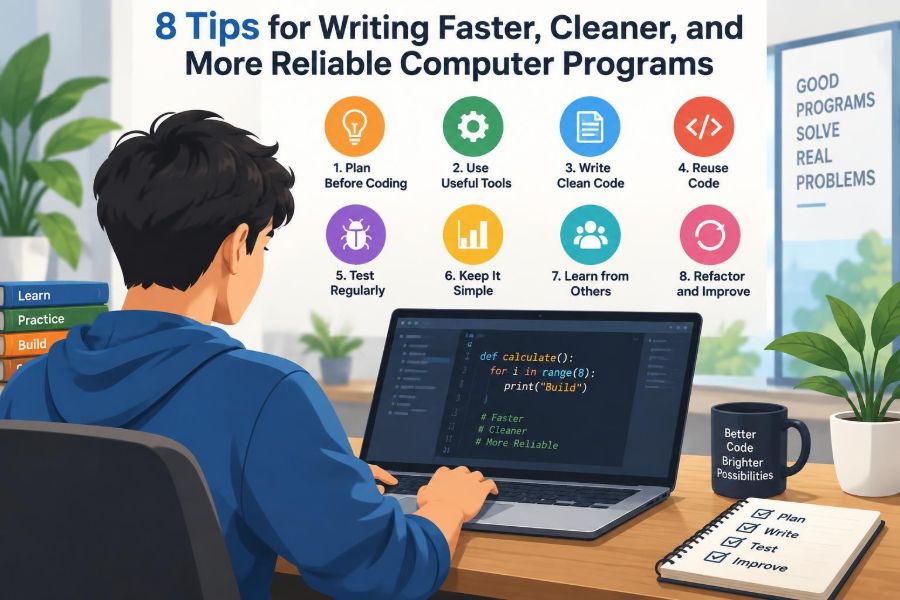

You sit down to make a small change: add one field, fix one calculation, or connect one screen to another. An hour later, the change has touched five files, an old test is failing, and you are no longer sure which version of the code was the good one.
This experience is not usually caused by a lack of typing speed. It comes from the hidden costs around programming: understanding unfamiliar code, deciding what a requirement means, finding mistakes, and safely changing a system that already works.
Good programmers do not simply produce code quickly. They reduce uncertainty. Their programs are easier to read, easier to test, and less likely to surprise the next person who changes them—including their future selves.
The eight habits below reinforce one another. They help you move faster without treating speed as an excuse to skip thinking, testing, or communication.
🧭 1. Define the Problem Before Writing Code
Code can only be as clear as the problem it is meant to solve. Before opening an editor, describe the desired behavior in ordinary language: what goes in, what comes out, what must happen, and what must never happen.
For example, “calculate a discount” is vague. A more useful statement is: “Apply a percentage discount to eligible items, never make the total negative, and preserve the original price for display.” That statement gives you conditions to implement and test.
- Identify the user or system that needs the result.
- List inputs, outputs, and important rules.
- Ask what should happen for missing, empty, or invalid input.
- Separate confirmed requirements from assumptions.
🎯 Turn Requirements into Concrete Examples
Examples expose ambiguity early. If a function receives a list of purchases, write down a normal case, an empty list, and a boundary case before deciding on loops or data structures.
Suppose shipping is free for orders of 50 units or more. Does exactly 50 qualify? What happens if an order total is represented as a decimal value with fractions? Examples force these decisions into the open.
They also become a lightweight test plan. A requirement that cannot be illustrated with an input and expected output is often not yet precise enough to implement.
🧩 Break Work into Small, Verifiable Steps
Large tasks create large debugging spaces. Divide a feature into pieces that can be completed and checked independently: parse data, validate it, perform the calculation, save the result, and display a message.
Small steps are not the same as excessive fragmentation. A useful step has a visible outcome and a clear purpose. “Rename one variable” may be too small to plan separately, while “make validation return helpful errors” is a meaningful unit.
After each step, run the relevant program or test. Discovering a problem after a small change is far cheaper than investigating twenty changes at once.
🗺️ Sketch the Data Flow First
Many bugs are not algorithm bugs; they are misunderstandings about where data comes from, how it changes, and where it goes next. A quick sketch can reveal those paths.
For a sign-up form, data might move from browser fields to validation, then to a database, then to a confirmation screen. At each boundary, ask what format is expected and whether values can be absent or untrusted.
This habit is particularly valuable when reading an existing application. Follow one real value—a user ID, price, or date—from entry to output rather than trying to understand every file at once.
📦 Choose Data Structures That Match the Job
A data structure is a way of organizing information. Choosing one that fits the operations you perform makes code simpler and can improve performance without clever tricks.
| Need | Often useful choice | Why |
|---|---|---|
| Keep items in order | List or array | Natural for iteration and position-based access |
| Find a value by a unique key | Map or dictionary | Expresses key-to-value lookup directly |
| Track unique values | Set | Prevents accidental duplicates |
| Represent named properties | Object, record, or class | Groups related information meaningfully |
Do not select a structure only because it is familiar. If you repeatedly search a list for an item by ID, a dictionary may communicate the intended access pattern better. But for a short, ordered collection, a list may remain the clearest choice.
🧠 2. Make Code Easy to Read
Programs are read far more often than they are written. A reviewer, teammate, or future you should be able to understand the main path of a function without mentally simulating every detail.
Readable code is not “extra polish.” It reduces the chance that a correct program is accidentally broken during maintenance. It also makes flaws easier to spot because the code’s intention is visible.
A useful question is: if the comments disappeared, would the names and structure still explain what is happening?
🏷️ Name Things for Their Meaning
Names should describe the role of a value, function, or type—not merely its storage format or a temporary implementation detail. activeUsers tells a reader more than list; isPaymentOverdue tells more than flag.
Good names are specific without becoming miniature sentences. A function named sendReminder communicates an action. A Boolean name beginning with is, has, or can signals that it answers a yes-or-no question.
Single-letter names can be reasonable in a tiny, familiar loop. Outside such a narrow scope, they make readers reconstruct meaning from context.
✂️ Keep Functions Focused
A focused function does one coherent job. It may have several lines and a few decisions, but a reader can summarize its purpose in one short phrase.
A function that validates input, updates a database, sends an email, and formats HTML has several reasons to change. Separating those responsibilities lets you test and reuse each part more safely.
if (!isValidEmail(email)) {
  return { ok: false, message: "Enter a valid email address" };
}
return createAccount(email);
Small functions are not automatically better. Splitting straightforward logic into dozens of wrappers can hide the real flow. Aim for a meaningful boundary, not a particular line count.
🧱 Use Structure to Reduce Nesting
Deep nesting makes readers hold too many conditions in their heads. Guard clauses—early returns for invalid or exceptional cases—often keep the main path visible.
Instead of placing the successful case inside several layers of if statements, reject invalid input near the top, then continue with the normal work. This is especially useful in request handlers and validation code.
Use the style that makes the rule clearest. A simple nested condition may be more readable than several early returns when the alternatives genuinely belong together.
💬 Comment the Why, Not the Obvious
Comments are valuable when they preserve information that code alone cannot express: a business rule, a surprising limitation, a compatibility decision, or a reason a less obvious approach was chosen.
A comment saying “increment count” beside count += 1 adds noise. A comment explaining that a time zone is fixed because an external service requires it prevents a future “cleanup” from changing behavior.
Outdated comments are dangerous because they sound authoritative. When code changes, update or remove nearby comments as part of the same task.
🧹 Refactor While the Context Is Fresh
Refactoring means improving internal design without intentionally changing observable behavior. Common examples include extracting repeated logic, clarifying names, and simplifying tangled conditionals.
Make small refactorings around the code you are already changing. If you notice the same validation rule copied three times, give it one well-named home—provided the contexts truly share the same rule.
Avoid combining a large redesign with an urgent behavior change unless necessary. Smaller, behavior-preserving improvements are easier to review and easier to undo.
⚙️ 3. Let Tools Catch Routine Mistakes
People are good at reasoning about goals and trade-offs. Tools are good at applying repetitive rules consistently. Using both well increases reliability without turning programming into a mechanical exercise.
Set up tools so feedback arrives close to the change that caused it. A problem caught while editing is usually cheaper to fix than one discovered after deployment.
🎨 Format Code Automatically
An automatic formatter applies consistent spacing, indentation, and line wrapping. It eliminates arguments about minor style preferences and makes code reviews focus on logic.
Formatting is also a practical collaboration tool. When every contributor uses the same format, version-control changes show the lines that actually matter instead of unrelated whitespace changes.
Run the formatter automatically when practical, but understand that tidy formatting does not prove code is correct. It is a readability baseline, not a correctness check.
🔍 Use Linters and Type Checks Wisely
A linter examines code for suspicious patterns and style issues. A type checker verifies, to varying degrees depending on the language, that values are used as compatible kinds of data.
These tools can catch an unused variable, a misspelled property, or an attempt to treat a number like text. They cannot confirm that a discount rule matches the business policy, so human judgment remains essential.
- Treat warnings as prompts to investigate, not as obstacles to silence.
- Configure rules that help your team’s codebase.
- Document justified exceptions close to the exception.
- Do not disable broad checks merely to make one change pass.
⌨️ Learn Your Editor’s High-Value Shortcuts
Speed comes from reducing repeated friction, not from typing faster. Learn how to navigate to a definition, rename a symbol safely, search across files, run tests, and view a change before committing it.
Safe rename tools are particularly valuable. A text search may change a word in a comment or an unrelated variable, while a language-aware rename can update references that represent the same symbol.
Adopt shortcuts gradually. One useful command learned well is more valuable than memorizing a long list you never use.
🧪 4. Test Behavior, Not Just Happy Paths
A happy path is the normal scenario where input is valid and everything works as expected. It matters, but real programs also receive blank fields, duplicate requests, unexpected file contents, network failures, and values near a boundary.
Testing is the practice of checking whether behavior matches expectations. It can be automated, manual, or both. Reliable software needs the right combination for its risks and environment.
🧾 Start with a Small Test Matrix
Before implementing a rule, list the cases that could change its outcome. This small matrix makes missing cases visible without requiring a complex testing framework.
| Case | Example input | Expected result |
|---|---|---|
| Normal | Two valid items | Total is calculated |
| Empty | No items | Clear empty result or message |
| Boundary | Exactly at a free-shipping threshold | Rule is applied consistently |
| Invalid | Missing required quantity | Validation rejects it safely |
The exact cases depend on the feature. A date-related function may need leap-year and time-zone cases; a payment-related function may need rounding and duplicate-request cases.
🔬 Write Tests at Useful Boundaries
Unit tests check a small piece of logic, such as whether a tax calculation handles zero correctly. Integration tests check that parts work together, such as an application saving and then retrieving a record.
End-to-end tests exercise a broader workflow through interfaces closer to those used in production. They can find realistic failures, but are often slower and more sensitive to environment changes.
Use the lowest-level test that gives confidence in the behavior you care about. A pure calculation is usually easiest to test directly; a login flow also needs some broader checks.
🚧 Test Edge Cases Deliberately
Boundary values deserve special attention because comparisons often change there. For a minimum age of 18, test 17, 18, and 19. For a maximum length, test just below, exactly at, and just above the limit.
Also consider empty collections, repeated actions, unusual characters, failed dependencies, and values that are valid individually but invalid together. You do not need to predict every failure; you need a habit of asking where assumptions could fail.
When a bug is found, add a test that would have caught it when feasible. The test turns a one-time fix into protection against the same regression.
🧯 Read Failures as Information
A failing test is not merely a red signal to eliminate. Read what it expected, what it received, and which assumption differs. The problem may be in the code, the test, the requirement, or the test environment.
Changing an assertion just to make it pass can preserve a bug. First decide whether the intended behavior changed; then update either the implementation or the test for a clear reason.
Make failure messages specific. “Expected free shipping at threshold” is more useful than “test failed.”
🛡️ 5. Handle Errors as Part of Normal Design
Error handling is not an afterthought for rare disasters. Invalid input, unavailable services, full storage, and conflicting updates are ordinary conditions in many systems.
A reliable program anticipates which failures are plausible at each boundary and responds in a way that is safe, understandable, and appropriate for the user or caller.
🚪 Validate at System Boundaries
Data from a form, file, network request, sensor, or third-party service should be treated as untrusted until checked. Validate shape, required fields, ranges, and allowed values before relying on them.
Validation should be close to where data enters, but important rules may also need enforcement deeper in the system. A browser check improves user experience; server-side validation protects the system when requests bypass the browser.
Be precise about the distinction between “missing,” “empty,” and “invalid.” They may deserve different messages and different handling.
📣 Return Errors People Can Act On
Helpful errors explain what happened and what the recipient can do next, without exposing sensitive internal details. “Password must contain more characters” is actionable; a raw database exception usually is not.
For developers and operators, logs can contain technical context such as an error type and request identifier. For users, keep the message concise and avoid revealing secrets, internal paths, or security-relevant implementation details.
Errors are part of an interface. Design them with the same care as a successful response.
🔒 Protect State When Operations Fail
Consider an operation that deducts inventory and then creates an order. If the second part fails, the system must avoid leaving inventory changed without a corresponding order—or have a planned way to reconcile the difference.
Databases and other systems may offer transactions, which group related changes so they succeed together or are rolled back. Their exact guarantees vary, especially across multiple services, so understand the tools your environment provides.
For retryable work, think about duplicate requests. A payment or message operation may need an idempotent design: repeating the same request should not accidentally repeat its effect.
📊 Observe Programs After They Run
Tests check known scenarios before release. Logging, metrics, and tracing help explain behavior after software is running. Together, these forms of observability make failures easier to diagnose.
Log meaningful events and errors with enough context to investigate, but avoid storing passwords, access tokens, or other sensitive personal data. More logs are not automatically better; noisy logs hide useful signals.
A simple rule is to record what happened, where it happened, and a safe identifier that helps connect related events.
🤝 6. Use Version Control as a Safety Net
Version control records the evolution of a codebase. It lets teams collaborate, compare changes, recover earlier versions, and understand why a decision was made.
Even a solo project benefits. A commit is a checkpoint you can return to when an experiment goes wrong.
🪜 Make Small, Coherent Commits
A good commit represents one understandable change: add validation for a form field, fix a date conversion, or rename an unclear module. It should not mix an unrelated formatting sweep with a behavioral change.
Small commits simplify review and troubleshooting. If a regression appears, it is easier to locate among a sequence of focused changes than inside one large batch.
Use commit messages that state the outcome or intent. “Reject empty account names” is more informative than “updates.”
🔎 Review Your Own Diff Before Sharing
A diff shows what changed compared with an earlier version. Read it as if you were reviewing someone else’s work. Look for accidental debug output, changed configuration, unintended deletions, and secrets that should never be committed.
This pause also catches a common mistake: editing a similar-looking line in the wrong file. Tests may still pass while the intended behavior remains unchanged.
Reviewing a diff is a low-cost habit with a high practical payoff because it compares intention with the actual change.
👥 Treat Code Review as Collaborative Debugging
Code review is not a ceremony for finding fault. It is a second perspective on correctness, maintainability, security implications, and whether the change matches the requirement.
Authors can help reviewers by keeping changes focused, explaining non-obvious decisions, and providing a way to verify behavior. Reviewers can help by asking clear questions and distinguishing required corrections from optional suggestions.
No review process catches everything. Its value comes from improving shared understanding and making hidden assumptions discussable.
⏱️ 7. Manage Attention, Not Just Time
Programming requires working memory: the limited mental space used to hold rules, program state, and goals while solving a problem. Interruptions force you to rebuild that context.
A faster workflow protects time for concentrated work while creating deliberate moments for communication, review, and recovery.
🧱 Reduce Context Switching
Switching between a bug report, chat messages, email, and several unrelated tasks makes each task take longer because you must remember where you stopped. Group similar work when possible.
Before pausing, leave yourself a short note: what you verified, what remains, and the next command or file to inspect. This simple external memory reduces restart time.
Some interruptions are necessary, especially in collaborative or operational roles. The goal is not isolation; it is making the cost of switching visible and manageable.
⏳ Time-Box Investigation and Experiments
When stuck, it is easy to keep trying small variations without learning much. Set a reasonable time boundary for an investigation, then change strategy: read documentation, create a minimal reproduction, ask a colleague, or simplify the problem.
A minimal reproduction is the smallest example that still shows a bug. It removes unrelated application complexity and often reveals whether the issue lies in your code, configuration, or a dependency.
Time-boxing does not mean abandoning difficult problems quickly. It means periodically checking whether your current approach is producing evidence.
📚 Build Reusable Knowledge
Keep concise notes on recurring setup steps, debugging commands, project conventions, and decisions that are easy to forget. A team guide can prevent many repeated questions; personal notes can reduce repeated searching.
When you solve a non-obvious issue, capture the principle rather than only the one command that worked. “This service reads configuration at startup” is more reusable than a single emergency fix.
Documentation should be maintained, not treated as permanent truth. Update it when the system or process changes.
🧭 8. Improve the Process Through Feedback
Reliable programming is a loop: plan, make a small change, check it, learn from the result, and adjust. The goal is not perfect prediction. It is creating a process that reveals mistakes early enough to correct them safely.
Over time, the most useful improvements are often modest: a missing test, a clearer checklist, a better error message, or a development environment that gives faster feedback.
🪞 Review Bugs for Their Root Cause
After fixing a defect, ask more than “which line was wrong?” Ask what allowed the mistake to reach users or later testing. Was the requirement unclear? Was a boundary case absent from tests? Did review lack context?
The answer should lead to a proportionate improvement. A single typo may only need a test. A recurring class of input errors may justify validation tooling or a shared design pattern.
Avoid blame-focused analysis. The useful outcome is a stronger system and clearer process, not a story about an individual’s failure.
⚖️ Balance Speed, Simplicity, and Flexibility
Not every program needs the same level of abstraction, testing depth, or operational infrastructure. A short script used once has different needs from software that handles customer records or controls a critical workflow.
Still, “small” does not excuse unclear code or unsafe assumptions. Match the safeguards to the consequence of failure, the expected lifetime of the code, and the number of people who will depend on it.
Overengineering can slow delivery and obscure a simple solution. Underengineering shifts cost into debugging, support, and risky future changes. Good judgment lives between those extremes.
✅ Use a Pre-Completion Checklist
A brief checklist helps when attention is limited. It should support thinking, not replace it. Adapt it to your language, team, and type of work.
- Does the change meet a clearly stated requirement?
- Are names and control flow understandable without excessive comments?
- Have normal, invalid, and boundary cases been checked?
- Are errors useful and safe for their audience?
- Did you run relevant automated checks and inspect the diff?
- Is the change small enough for someone else to review confidently?
For higher-risk changes, add domain-specific checks. A database migration, for example, may need a rollback plan and a test on realistic data shape.
🌱 Practice Deliberately, One Habit at a Time
Trying to transform every habit at once usually creates more process than progress. Choose one friction point you encounter often: unclear names, skipped tests, giant commits, or hard-to-read errors.
Then make the better action easy. Configure a formatter, create a test template, add a commit-message convention, or keep a short debugging note beside your work. Repetition turns a deliberate practice into a default behavior.
Measure improvement by reduced confusion and fewer avoidable rework cycles, not merely by how many lines you produce.
🏁 The Core Principle: Make Correct Work the Easy Work
Faster, cleaner, and more reliable programs do not come from a single language feature or productivity trick. They come from arranging your work so that intent is clear, feedback is quick, and unsafe changes are difficult to overlook.
Define behavior before coding, write for readers, automate routine checks, test meaningful cases, handle failure deliberately, and use version control and review to create recovery paths. Each habit reduces a different kind of uncertainty.
The result is not just fewer bugs. It is a calmer development process in which changes are easier to understand, discuss, and improve.
The most sustainable way to program faster is to make each small change easier to understand and safer to verify. That is a skill you can strengthen on every project, from a classroom exercise to a long-lived production system. 💻🧪🌱