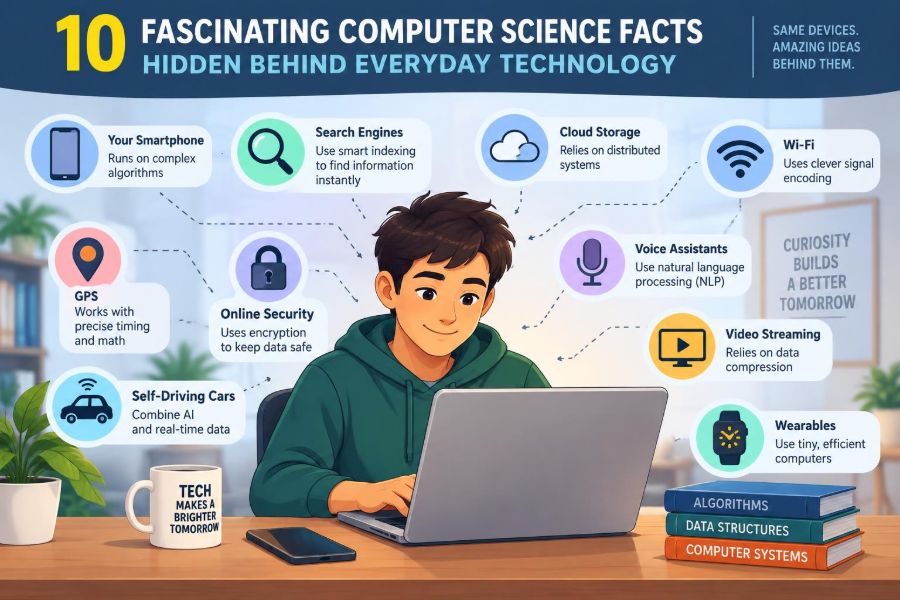

You unlock your phone with your face, ask for directions, stream a song, and send a message across the world. Each action feels nearly instant, so it is easy to treat the technology underneath as a black box.
That box is full of surprisingly elegant ideas: simple switches that represent language and music, mathematical tricks that catch typing errors, and routing decisions made in fractions of a second. Everyday devices work because many layers of computer science cooperate quietly.
Understanding those layers does more than satisfy curiosity. It helps you judge claims about privacy, speed, artificial intelligence, and security with more confidence. It also reveals why seemingly small design choices can affect millions of people.
Here are ten foundational computer science facts, unpacked through the technologies most of us use every day.
🧩 1. Digital devices reduce complex information to bits
At their lowest practical level, computers represent information with bits: values that can be treated as 0 or 1. A bit does not inherently mean “off” or “on,” although electrical circuits often use two voltage ranges to represent those states.
Eight bits form a byte. Groups of bits can stand for numbers, letters, colours, sound samples, or instructions. The same physical machinery can therefore process a spreadsheet, display a photograph, or run a game because each is ultimately encoded as patterns of bits.
🔢 Why binary is a practical engineering choice
Electronic components are not perfectly precise. A circuit must still distinguish a meaningful signal from electrical noise, heat, and small manufacturing differences. Two broad states are easier to identify reliably than many finely separated states.
Binary also makes logic straightforward. Circuits can combine conditions using operations such as AND, OR, and NOT. For example, an alarm may activate only when a sensor detects motion and the system is armed.
🔤 Text is encoded, not stored as letters
When you type the letter A, your computer does not store a tiny image of A. It stores a numeric code according to a character encoding. Unicode is the widely used system that assigns codes to letters, punctuation, symbols, and writing systems from around the world.
This is why text can travel between different devices and operating systems. It also explains occasional garbled characters: if software interprets bytes using the wrong encoding, it may display the wrong symbols.
🎨 Images are grids of numerical colour values
A typical digital image is a grid of pixels, or picture elements. Each pixel stores values describing colour, often as intensities of red, green, and blue light. Your display blends those tiny coloured points into the scene you perceive.
More pixels can preserve finer detail, but resolution is not the whole story. Colour depth, lens quality, image processing, display size, and viewing distance all affect what looks sharp to a person.
🔊 Sound becomes samples over time
Sound is a continuously changing pressure wave. A microphone converts it into an electrical signal, and an analogue-to-digital converter measures that signal repeatedly. Each measurement is a sample.
Playback reverses the process: stored samples are converted into an electrical signal that drives a speaker. Sampling often happens fast enough to capture frequencies humans can hear, but the result is still a representation, not the original continuous wave.
🗜️ 2. Compression makes modern media practical
Raw photos, audio, and video contain enormous amounts of data. Compression reduces the number of bits required to store or transmit them. Without it, video calls, music streaming, and photo libraries would demand far more storage and bandwidth.
There are two major approaches. Lossless compression preserves every original bit; lossy compression removes some information in ways intended to be difficult to notice or less important for the intended use.
📦 Lossless compression finds repeated patterns
Lossless methods exploit redundancy. If a file contains a long run of the same value, it may be represented more compactly as “this value repeated this many times.” Other methods build compact codes for patterns that occur frequently.
This is appropriate when every detail matters, such as source code, financial records, databases, and many archival files. A decompressed lossless file should match the original exactly.
👁️ Lossy compression uses limits of perception
Lossy formats make trade-offs. A photo compressor may preserve broad shapes and colour changes while discarding very subtle detail. An audio codec may allocate more data to sounds that are easier for listeners to notice.
The trade-off is not always harmless. Repeatedly saving an image in a lossy format can accumulate visible artifacts, and aggressive video compression can make edges shimmer or blocky areas appear. “Smaller file” is useful only when quality remains suitable for the task.
🧠 3. Algorithms are recipes with measurable costs
An algorithm is a defined sequence of steps for solving a problem. A recipe is a familiar analogy, but computer algorithms must be precise enough that a machine can perform each step without guessing.
Two algorithms can produce the same correct answer while requiring dramatically different amounts of work. That difference becomes crucial when an app processes thousands, millions, or billions of items.
⏱️ Big O describes growth, not stopwatch time
Computer scientists often use Big O notation to describe how an algorithm’s work grows as the input grows. It does not predict the exact seconds a program will take on a particular laptop.
For instance, checking every name in an unsorted list may grow roughly in proportion to the list length. Searching a sorted collection by repeatedly halving the remaining possibilities grows much more slowly. Big O helps compare the underlying strategy before hardware-specific details enter the picture.
🔎 Search works differently when data is organized
Imagine looking up a word in a printed dictionary. You do not begin on page one and inspect every page. You open near the middle, decide whether the word belongs earlier or later, and repeat.
This is the intuition behind binary search. It requires ordered data, which is a meaningful condition. If records are constantly changing or cannot be sensibly ordered, another structure or search strategy may be better.
🧭 4. Maps use graph theory, not just pictures
Navigation software turns a road network into a graph: intersections become nodes, and road segments become edges connecting them. Each edge can carry a cost, such as distance, expected travel time, tolls, or energy use.
The route on screen is the output of an algorithm searching for a low-cost path under the chosen rules. “Fastest” does not necessarily mean “shortest,” and neither necessarily means “simplest.”
🚦 Traffic estimates are predictions with uncertainty
A route planner can incorporate historical patterns, road restrictions, reported incidents, and recent movement information. Yet it cannot know every future decision by drivers, every temporary obstruction, or the exact time a traffic light will change.
That is why two devices can suggest different routes, or a route can change while you travel. The system is continually revising an estimate, not revealing a guaranteed future.
🌐 5. The internet is a network of networks
The internet is not one central machine or one company’s cable. It is a vast collection of independently operated networks that agree on common communication rules, called protocols.
Your home network, mobile provider, university, cloud service, and a website’s hosting network may all participate in one request. Protocols allow their equipment to exchange data even though the organizations have different hardware and policies.
📬 Data travels in packets
When you load a webpage or send a message, the data is normally divided into smaller pieces called packets. Each packet includes addressing and control information so network equipment can forward it toward its destination.
Packets from the same message may take different paths and arrive out of order. Higher-level protocols can reassemble them, request missing pieces, or decide that speed matters more than perfect recovery, as is often true for live media.
🪪 Domain names are translated before a site opens
People prefer names such as a website address; networks need numerical addresses to route traffic. The Domain Name System, or DNS, is a distributed naming system that helps translate a domain name into an address.
This lookup is usually hidden from view, but it is one reason a site can seem slow before anything appears. DNS also illustrates a broader computer science pattern: an easy interface often depends on a substantial system behind it.
🚚 6. Routing resembles distributed decision-making
Routers do not possess a complete, timeless picture of the internet. They exchange reachability information and use routing rules to select a next step for packets. Across the network, these local decisions create end-to-end paths.
This design is resilient because data can often be redirected when a connection fails. It is also complex: routing changes take time to propagate, policies matter, and a route that is technically available may not be the preferred one.
🔐 7. Encryption protects data by using keys
Encryption transforms readable data, called plaintext, into ciphertext that should be unusable to someone without the right key. It protects many routine activities, including secure web browsing, messaging, and online purchases.
Encryption does not mean that a service knows nothing about you. Depending on the system, metadata such as when a connection occurred, which service was contacted, or how much data moved may still be visible to network operators or service providers.
🔑 Public-key cryptography solves a sharing problem
Traditional shared-key encryption requires both parties to possess the same secret. The challenge is how to share that secret safely in the first place.
Public-key cryptography uses a linked pair: a public key that can be shared and a private key that must remain secret. It supports secure key exchange and digital signatures, allowing browsers and servers to establish protected connections without first meeting in person.
🧾 Hashes are fingerprints, not secret containers
A cryptographic hash converts data into a fixed-length value. A small change to the input generally produces a very different hash. Systems use hashes to check integrity, organize data, and handle passwords safely when implemented correctly.
A hash is not encryption: it is designed to be one-way rather than decrypted. Password systems should use specialized password-hashing methods with salts and deliberate computational cost, not a simple general-purpose hash alone.
🛡️ Security depends on systems, not a single lock
Strong cryptography can still be undermined by a reused password, a deceptive login page, an unpatched device, or overly broad access permissions. Security is a chain of technical controls and human decisions.
- Use a password manager to create distinct, long passwords.
- Turn on multi-factor authentication where it is available.
- Check unexpected messages through a separate channel before acting.
- Install security updates, especially on devices exposed to the internet.
These habits reduce common risks, though no individual measure eliminates every possibility.
🤖 8. Machine learning finds patterns in examples
Many everyday recommendations, spam filters, speech tools, and image features use machine learning. Instead of manually writing a rule for every case, developers train a model to find patterns in examples.
For example, a spam filter can learn relationships among message features and past labels. It does not “understand” an email as a person does; it calculates outputs from learned statistical patterns.
🏷️ Training data shapes what a model can do
A model’s performance depends heavily on the data used to train and evaluate it. If examples are incomplete, mislabeled, outdated, or unrepresentative, the model may behave poorly in real situations.
This is not merely a technical inconvenience. A system used to rank applicants, detect fraud, or interpret language can distribute errors unevenly. Careful testing across relevant cases, ongoing monitoring, and human review can matter as much as the model architecture.
🎯 Accuracy is not the only useful measure
A model can appear highly accurate while failing in a situation that matters. In a rare-event problem, simply predicting the common outcome may produce a flattering overall score but miss the cases the system was built to find.
Developers also consider false positives, false negatives, calibration, speed, privacy, and the cost of mistakes. The right balance depends on context; a music recommendation and a high-stakes screening decision should not be evaluated by the same standard.
🧮 9. Databases balance speed, consistency, and scale
Apps need to remember accounts, orders, posts, inventory, and settings. A database provides structured storage plus ways to retrieve and update information reliably.
Indexes make common lookups faster, much as a book index helps you jump to a topic. But indexes require storage and must be updated when data changes, so they are useful trade-offs rather than free speed.
🔄 Distributed systems must handle disagreement
When data is copied across machines or regions, updates do not reach every copy at the exact same instant. A distributed system must decide when a change is considered committed and what users see during delays or failures.
Some tasks demand strong consistency, such as preventing the same limited item from being sold twice. Others can tolerate temporary differences, such as a view count that catches up shortly afterward. Good design starts by identifying which kind of correctness the feature needs.
☁️ The cloud is still someone else’s computer
Cloud computing provides rented computing, storage, and managed services over networks. It can make scaling and deployment easier because organizations do not need to buy and operate every physical server themselves.
It does not remove engineering responsibility. Teams still need access controls, backups, monitoring, cost management, and plans for outages. “In the cloud” describes a delivery model, not an automatic guarantee of privacy or reliability.
⚡ 10. Caches trade freshness for speed
A cache stores a copy of data that is likely to be needed again. Browsers cache images and scripts; processors cache frequently used data; applications cache expensive query results. The aim is to avoid repeating slow work.
The difficult part is invalidation: deciding when an old copy must be replaced. If a shop’s inventory cache is stale, a product may appear available when it is not. Fast systems need explicit rules for how much staleness is acceptable.
🔋 Efficiency is a user experience feature
Efficient software can respond faster, use less battery, consume less data, and require less server capacity. An inefficient loop or oversized media file may seem minor in isolation but becomes costly when repeated across many devices.
Performance work is most valuable when it targets a real bottleneck. Measuring before optimizing avoids a common mistake: spending effort on a tiny improvement while the actual delay comes from a slow network request or database query.
🧑💻 Abstraction lets us build without knowing every layer
Most programmers do not control individual transistors when writing a mobile app. They use programming languages, operating systems, libraries, and APIs that hide lower-level details behind useful interfaces. This is abstraction.
Abstraction makes complex technology manageable, but hidden layers still affect outcomes. A simple call to save a file may involve memory management, permissions, a file system, device drivers, and physical storage.
🧪 Bugs often arise at the boundaries
Software is frequently correct for the ordinary case and wrong at an edge: an empty field, an unusually large number, a missing network connection, a time-zone change, or two users editing the same record.
Testing should therefore include realistic failure conditions, not only ideal demonstrations. Clear error messages, safe defaults, and recoverable workflows are signs of thoughtful engineering, not optional polish.
📚 The deeper pattern behind everyday technology
These facts connect through a few recurring ideas. Computers represent rich experiences as data, apply algorithms to transform that data, and communicate through layers of protocols. They gain speed through organization and caching, then manage the risks those shortcuts create.
The result is not magic, and it is not infallible. Everyday technology reflects choices about accuracy, privacy, cost, accessibility, reliability, and convenience. Knowing the basic mechanisms makes those choices easier to notice and question.
The most useful computer science insight is that familiar technology is built from understandable trade-offs, not mysterious powers. Once you see the bits, algorithms, networks, and decisions beneath the surface, every tap and search becomes a little more legible. 💻🔍🌐