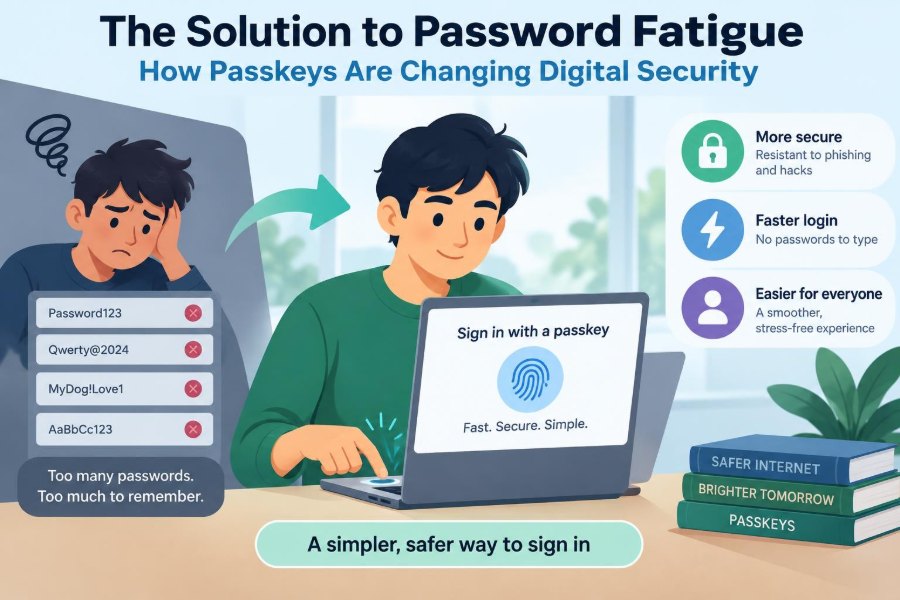

You are about to join a video meeting. The browser asks for a password you last used months ago. After two failed guesses, you reset it, wait for an email, create a new “strong” password, and hope you can remember it next time.
That small interruption is familiar because passwords ask people to do something computers are not naturally good at: remember many long, unique secrets while also spotting convincing scams.
The result is password fatigue. People reuse credentials, save them in unsafe places, or rush through security prompts simply to get back to work. Attackers benefit from that friction.
Passkeys offer a different approach. Instead of proving identity by typing a shared secret, you approve sign-in with a device you already control—often using a fingerprint, face scan, or device PIN.
🔐 What Password Fatigue Actually Means
Password fatigue is not merely annoyance. It is the accumulating cognitive burden of creating, recalling, changing, and protecting passwords across many accounts.
When a person manages dozens of services, the safest rule—one long, random password per account—conflicts with the easiest behavior: reuse a familiar password. That gap creates practical security risk.
A login system works best when its secure path is also its convenient path. Passkeys are designed around that principle.
🧩 Why Passwords Have a Structural Weakness
A password is a shared secret. You know it, and the service must store enough information to verify it. Well-designed services store a protected mathematical representation rather than the plaintext password, but the sign-in model still depends on a secret being entered and checked.
Because the secret can be typed into a website, it can also be typed into a convincing imitation. A password does not inherently tell the difference between the real bank site and a look-alike domain.
🎣 The Phishing Problem
Phishing messages try to create urgency: an account is locked, a delivery failed, or a payment needs review. The link leads to a page built to collect a username, password, and sometimes a one-time code.
Even two-factor authentication can be vulnerable when a criminal relays the victim’s password and temporary code to the legitimate site in real time. The victim may believe they are completing a normal sign-in.
Passkeys reduce this particular risk because they are tied to the legitimate website’s identity. A passkey created for one site is not normally offered to a similarly named impostor.
🗝️ A Passkey in Plain Language
A passkey is a credential that lets you sign in without typing a password. It uses public-key cryptography, a system built around two mathematically related keys.
Your device keeps one key private. The website receives the matching public key. During sign-in, the site asks the device to prove that it holds the private key, without asking the device to reveal it.
Think of the public key as a padlock a website can distribute freely. Only the private key on your device can open that particular lock.
⚙️ The Two Keys Behind the Experience
At registration, your authenticator—such as a phone, computer, or security key—creates a new key pair for that service. The private key stays under the authenticator’s control, while the public key is registered with the account.
At login, the service sends a unique, short-lived challenge. The authenticator signs that challenge with the private key. The service checks the result with the public key it already has.
This process matters because a captured response cannot simply be replayed later. A new login requires a new challenge.
📱 Why Your Fingerprint Is Not Sent to the Website
A common misunderstanding is that websites receive your fingerprint or facial data. In a typical passkey flow, that biometric check happens locally on your device.
Your fingerprint, face recognition, or device PIN unlocks the ability to use the private key. The website receives cryptographic proof of the sign-in request, not a copy of your biometric data.
Biometrics are therefore a convenient local approval method, not the passkey itself. A device PIN can often serve the same role.
🌐 The Standards That Make Passkeys Work
Passkeys are built on FIDO standards, especially WebAuthn, short for Web Authentication. These standards define how browsers, apps, websites, and authenticators exchange registration and sign-in requests.
Standards matter because an account should not require a proprietary browser trick or one brand of computer. In practice, compatibility still varies by service, operating system, browser, and organization policy.
The underlying model is also used by physical security keys, which have long provided strong authentication for security-conscious users.
🏠 The Website Identity Check
A crucial feature is binding the credential to a website’s legitimate domain, sometimes called its relying party identity. Before using a passkey, the browser checks whether the requesting site matches the identity for which that credential was created.
If a fake site uses a look-alike address, it should not receive the passkey response meant for the real one. This is why passkeys are widely described as phishing-resistant.
“Resistant” is the careful word. No sign-in method can prevent every form of fraud, such as a user being tricked into approving an unwanted transaction after already signing in.
🧠 Passkeys and Password Managers Are Different
A password manager stores and fills passwords. It can greatly improve security by generating unique passwords and reducing memory demands.
A passkey is an authentication credential. Some password managers can store and synchronize passkeys, while operating systems and browsers can also manage them. The categories overlap in use, but they are not interchangeable.
For services that have not added passkey support, a reputable password manager remains one of the strongest practical defenses against password reuse.
🔄 Device-Bound and Synced Passkeys
Not every passkey is handled the same way. A device-bound passkey stays on one authenticator, such as a hardware security key. This model can suit organizations that want tightly controlled credentials.
A synced passkey can be encrypted and made available across a user’s approved devices through a credential provider. That improves recovery and convenience when a phone is replaced.
| Approach | Main advantage | Main trade-off |
|---|---|---|
| Device-bound passkey | Strong control tied to one authenticator | Needs a planned backup and recovery path |
| Synced passkey | Convenient access across personal devices | Security also depends on protecting the sync account |
| Password plus manager | Works on many legacy services | Can still be phished if entered on a fake site |
☁️ What Synchronization Changes
Synchronization does not mean a website receives your private key. Credential providers are designed to protect passkeys while making them usable on your own devices.
Still, the account that protects your synced credentials becomes especially valuable. Use a strong sign-in method for that account, keep recovery information current, and review unfamiliar devices promptly.
The convenience-security balance depends on your situation. Someone protecting a high-value work account may prefer a separate hardware key as an additional backup.
🖥️ Signing In on Another Device
You may want to sign in to a laptop using a passkey stored on your phone. Many passkey systems support a cross-device flow, often initiated with a QR code.
The nearby phone confirms the request and establishes an encrypted connection after local checks. The QR code is not a password; it helps coordinate the sign-in between the devices.
Follow the prompts carefully. If a QR code appears unexpectedly or you did not start a sign-in, cancel rather than approving it.
🧳 The Lost Phone Question
“What happens if I lose my phone?” is the right question to ask before relying on any authentication method. A well-designed setup includes more than one route back into important accounts.
If passkeys synchronize to another signed-in device, access may be recoverable there. Some services also let you register multiple passkeys, such as one on a laptop and another on a hardware security key.
Recovery rules differ by service. Check them while you still have access, not during an urgent lockout.
🧯 Recovery Is the Weakest Link If Ignored
Strong authentication can be undermined by weak account recovery. If a service lets an attacker reset access after guessing personal details or compromising an email inbox, the passkey is no longer the whole story.
Protect your primary email account particularly well, because password-reset messages often arrive there. Keep recovery email addresses and phone numbers accurate, and remove outdated ones.
For critical accounts, record recovery codes only where they will remain private and available. A printed copy stored securely can be more resilient than a screenshot in an unprotected photo library.
👥 Shared and Family Devices Need Care
Passkeys work best when each person has their own device profile and account. Registering your passkey on a broadly shared browser profile can make account boundaries confusing.
On a family computer, use separate operating-system accounts when possible. Sign out of services after use, and do not approve a passkey prompt simply because someone nearby asks you to.
For shared business accounts, consider whether the account should be replaced with individual accounts and role-based access. Shared credentials make auditing and offboarding much harder.
🏢 What Passkeys Change at Work
For organizations, passkeys can reduce password resets and make phishing-based account theft more difficult. They can also simplify sign-in for employees who move between managed devices.
Deployment is not just a technical switch. IT teams need a policy for supported authenticators, new-device enrollment, departing employees, contractors, lost devices, and emergency access.
Businesses may combine passkeys with single sign-on, which lets users authenticate through a central identity provider before accessing approved applications.
🪪 Passkeys Are Not the Same as Identity Proof
A passkey proves control of a credential for an account. It does not, by itself, prove that a person is who they claim to be in the real world.
A service may still need separate checks when opening a financial account, changing sensitive profile data, or completing a regulated transaction. Those checks can involve documents, support staff, or other verification methods.
This distinction helps avoid overclaiming what authentication can solve.
📩 Multi-Factor Authentication Still Has a Role
Multi-factor authentication combines different categories of evidence, such as something you have, something you know, or something you are. A passkey often uses possession of a device plus local biometric or PIN verification.
Some high-risk actions may require another confirmation even after passkey sign-in. For example, a company might ask for reauthentication before changing payroll details or exporting sensitive records.
Extra steps should be targeted. Adding prompts everywhere can recreate the fatigue that secure design is meant to reduce.
📊 Comparing Common Sign-In Methods
| Method | Convenience | Phishing exposure | Key concern |
|---|---|---|---|
| Reused password | Easy to remember | High | One breach can affect multiple accounts |
| Unique password with manager | Usually smooth | Still possible | Protect the manager and avoid fake sites |
| SMS verification code | Familiar | Can be relayed or intercepted in some scenarios | Phone-number recovery risks |
| Authenticator-app code | Reasonably practical | Can be relayed through phishing | Backup and transfer planning |
| Passkey | Often fast | Designed to resist credential phishing | Device and account recovery planning |
🚧 Where Passkeys Are Not Yet Seamless
Passkey support is growing, but it is not universal. Some services still require passwords, and some combinations of old browsers, operating systems, enterprise devices, or embedded app browsers may behave inconsistently.
Users may also encounter unclear wording: “passkey,” “security key,” “biometric login,” and “sign in with device” are related but not always identical features.
Keep existing passwords until a service clearly confirms that a passkey is enrolled and that you understand its fallback options.
⚠️ Passkeys Cannot Stop Every Scam
A passkey can prevent a criminal from collecting a reusable password on a fake site. It cannot protect you if malware controls an unlocked device, if someone steals an already authenticated session, or if you authorize a harmful action yourself.
Be cautious about unexpected screen-sharing requests, remote-control software, and prompts that ask you to approve a login you did not initiate. Security still relies on noticing unusual activity.
Passkeys improve a major weak point; they do not remove the need for software updates, device locks, and sensible account monitoring.
🧱 Why Unique Keys Reduce Breach Damage
Passkeys are created separately for each service. A credential for one site is not a master key for every other site.
That compartmentalization is valuable. If one service suffers a data incident, the public key stored there is not enough to sign in as you elsewhere, and it cannot be reused as a password on another site.
Organizations still must protect account data, sessions, and recovery systems. But removing password databases from the primary sign-in path can eliminate a highly attractive target.
🧪 A Simple Sign-In Example
Imagine Maya opens the genuine website for a project-management tool. She chooses “Sign in with passkey,” and her laptop asks her to confirm with its device PIN.
The laptop verifies the site’s identity, uses Maya’s private key to sign a fresh challenge, and sends the proof back. Maya does not see or type a secret.
Now imagine a fake email sends Maya to a similar-looking domain. Her laptop should not offer the passkey registered to the real domain. That is a meaningful difference from a password field, which accepts whatever text she enters.
🛠️ How to Start Using Passkeys Safely
Start with an account you use regularly and can recover without panic. Major email, productivity, shopping, and financial services may offer passkeys, but availability and setup screens vary.
- Update your phone, computer, and browser.
- Sign in through the service’s official app or address you enter yourself.
- Find the account security or sign-in settings.
- Create a passkey and complete the local device verification.
- Register a second trusted passkey or backup method where available.
- Test sign-in in a normal, safe setting before removing alternatives.
Do not enroll a passkey from a link in an unexpected email or text message. Go directly to the service instead.
🧭 Choosing a Credential Provider
Your device platform, browser, password manager, or workplace identity system may offer to save passkeys. Choose the option that fits where you normally work and how you recover access.
If you use several devices across different platforms, test your intended workflow before relying on it for a critical account. A hardware security key can be useful for people who need portable, independent access.
The best choice is not automatically the most complicated one. It is the one you can protect, use consistently, and recover responsibly.
🔍 Everyday Habits That Still Matter
Passkeys are strongest when paired with basic device hygiene. Set a strong device PIN, enable automatic updates, and use screen locking so a misplaced device does not become an open door.
- Review security alerts rather than dismissing them automatically.
- Remove old devices from important accounts.
- Use separate accounts for work and personal activity when required.
- Keep recovery details private and current.
- Question unexpected approval prompts.
These habits are not glamorous, but they address many attacks that happen outside the password field.
🧑🏫 Explaining Passkeys to Less Technical Users
A useful explanation is: “Your phone or computer has a special key for this website. You unlock your device, and it proves you own that key without sending the key away.”
Avoid framing passkeys as magic or as a reason to ignore suspicious messages. The practical instruction is simple: approve only sign-ins you started, and seek help through known channels when something feels unusual.
Clear language improves adoption. People are more likely to use security features when they understand what a prompt is asking them to approve.
🔮 What a Password-Less Future May Look Like
Passwords will likely remain for years because old systems, specialized software, and recovery processes take time to change. The transition will be uneven rather than a single global switch.
Still, passkeys point toward a more useful model: authentication based on cryptographic proof and device approval rather than memorized strings. That model can reduce both user burden and a major source of phishing exposure.
The goal is not to make users think about security constantly. It is to make secure behavior the natural behavior.
✅ The Core Takeaway
Passkeys replace the act of typing a reusable secret with a cryptographic proof generated by a trusted authenticator. Their strongest advantage is not just speed; it is that legitimate website identity is part of the sign-in process.
They are most effective when you protect devices, enroll backup access, secure recovery channels, and remain alert to unexpected prompts. For services that still require passwords, use unique passwords stored in a trustworthy manager.
Security is rarely one feature. It is a set of choices designed so that a single mistake does not expose every account.
Passkeys are a practical step away from password fatigue because they make safer sign-in easier while reducing the value of stolen credentials. Set them up thoughtfully, keep a recovery plan, and let your devices do more of the remembering. 🔐📱✨