
You are stuck on a programming exercise that looks small: read some input, process it, print an answer. An hour later, the program still fails on a hidden test case, and the error message seems less helpful than the original problem.
Or perhaps you understand a lecture on recursion while watching it, but cannot explain why a recursive function eventually stops. These are normal learning moments, not evidence that you are “bad at computer science.”
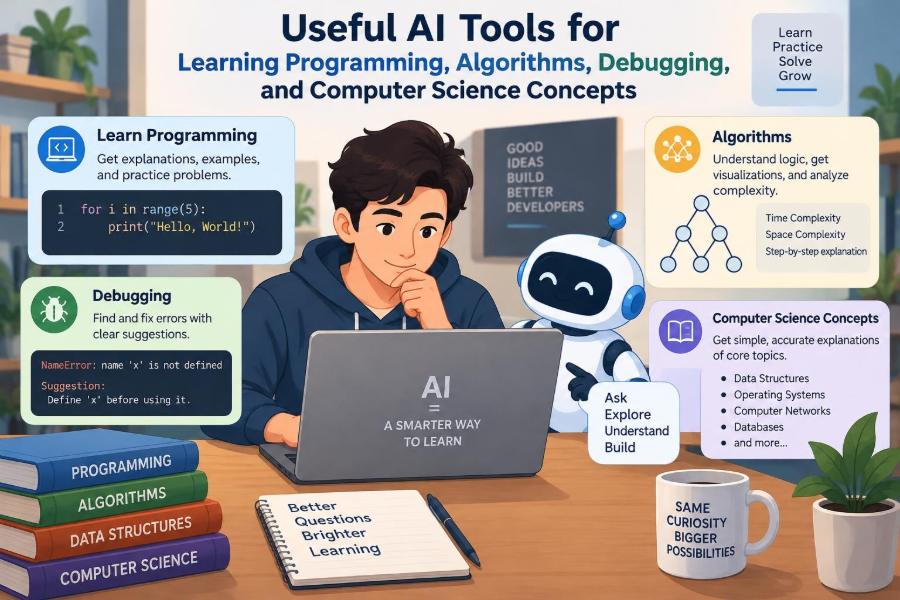
AI tools can be useful in these situations because they can respond to your particular code, question, or misunderstanding. They can translate a dense definition into a concrete example, suggest a debugging path, or play the role of a patient practice partner.
But a tool that supplies an answer too quickly can also remove the productive struggle that builds skill. The goal is not to let AI program instead of you; it is to use it as a guide that helps you think, test, and improve.
🧭 Start with the Right Role for AI
The most productive role for an AI assistant is scaffold, not substitute. A scaffold supports someone while they learn to perform a task; it is removed as independence grows.
Ask for hints, explanations, examples, and feedback before asking for finished code. This keeps you responsible for the essential work: understanding the problem, choosing an approach, and checking whether the result is correct.
🧠 What AI Tools Can Actually Do
Modern AI assistants can work with natural-language questions, source code, error output, pseudocode, and sometimes diagrams or files. They are especially useful for turning one representation into another: prose into a checklist, code into an explanation, or an algorithm into a trace.
They do not “know” your assignment requirements, runtime environment, or intent unless you provide that context. Their output is generated from patterns, so a confident explanation can still contain a mistake.
🎯 Define the Learning Goal First
Before opening a chat window, name the obstacle. “Help me with Python” is broad; “I do not understand why this loop skips the final item” is actionable.
- Concept goal: understand a term such as hashing or recursion.
- Problem-solving goal: design an algorithm under stated constraints.
- Debugging goal: locate the cause of incorrect behavior.
- Review goal: make working code clearer, safer, or faster.
A narrow goal leads to a more useful conversation and makes it easier to decide whether you have actually learned something.
🗣️ Give Context, Not Just a Question
AI responses improve when the prompt includes the language, expected behavior, actual behavior, error text, and what you already tried. For algorithm questions, include input size and any constraints such as “do not sort” or “use constant extra space.”
I am learning Java. This method should return the index of the first duplicate integer, or -1 if none exists. It returns the wrong result for [3, 1, 3]. Explain the likely issue without rewriting the full solution. Here is my code: ...This prompt sets a level, a task, a test case, and a boundary. That is far more effective than pasting code with “Why broken?”
📚 Use AI to Unpack New Concepts
Technical definitions are compact because they assume background knowledge. Ask an assistant to define one unfamiliar term at a time and connect it to a familiar idea.
For example, a stack is a data structure that follows “last in, first out,” like plates in a stack. Then ask what operations it supports, why function calls use stacks, and where the analogy stops being exact.
A useful follow-up is: “Explain it at two levels: first for a beginner, then using the correct technical vocabulary.” This makes the bridge from intuition to precision visible.
🔁 Learn Through Multiple Representations
Computer science ideas become clearer when seen in more than one form. A graph can be described in words, drawn as nodes and edges, stored in an adjacency list, and traversed by code.
Ask AI to convert among these forms. For a sorting algorithm, request a small input trace, pseudocode, and an explanation of the invariant—the condition that remains true after each step.
If all representations agree, your understanding is more durable than memorizing one definition.
🧩 Turn Explanations into Active Recall
Reading a polished explanation can create an illusion of understanding. Instead, ask the tool to quiz you with one question at a time and wait for your answer.
Good prompts include “Give me five conceptual questions about binary search, but do not reveal answers until I respond” and “Create two examples where I must decide whether a queue or stack fits better.”
Retrieving an answer from memory exposes gaps. The AI can then correct a specific misconception rather than repeating a full lesson.
🌳 Make Recursion Less Mysterious
Recursion is difficult partly because several function calls may be active at once. Ask for a call trace: a numbered account of each call, its arguments, and what it returns.
For factorial, the important questions are not merely “what code is written?” but “what is the base case?” and “how does each call move toward it?” A trace makes both visible.
Ask the assistant to pause before the return values and let you predict them. That small change turns passive reading into practice.
📦 Understand Data Structures by Their Trade-offs
A data structure is not just a container; it is a set of choices about operations. An array provides fast indexed access, while inserting near the beginning may require shifting many items. A linked list has different costs.
Ask comparisons around an actual workload: “I need frequent membership checks and occasional insertion. Compare a list, set, and map.” The answer should discuss operations, ordering, duplicates, memory considerations, and language-specific behavior where relevant.
📈 Explore Algorithms with Small Traces
Algorithm animations and AI-generated walkthroughs are useful when they show state changes rather than only announce the final result. For breadth-first search, follow the queue, visited set, and current node after each iteration.
Choose a tiny example first. If an assistant traces an algorithm over six or seven elements, you can verify every step yourself and catch a misleading explanation.
Then alter the input. What happens with an empty graph, a repeated value, or an already sorted list? Edge cases reveal the real rules.
⏱️ Ask About Complexity with Assumptions Included
Big O notation describes how resource use grows as input size grows. It is usually an upper-bound-oriented way to discuss growth, not a stopwatch reading for one machine.
When requesting analysis, ask the assistant to state what counts as the input size and what operations it assumes are constant time. For example, hash-table lookup is commonly discussed as constant time on average, but behavior depends on implementation and collisions.
Also ask for space complexity. A faster-looking solution may allocate a large auxiliary structure, which matters in memory-constrained situations.
🔍 Debug with a Reproducible Example
Debugging is investigation, not guessing. Reduce the failure to the smallest input that still produces the wrong result, then give AI the input, expected output, actual output, and relevant code.
A minimal failing example strips away distractions. “This parser fails only for an empty line” is much easier to reason about than a thousand-line program and a vague report that it sometimes crashes.
🐛 Ask for a Debugging Plan, Not a Patch
A direct fix may solve today’s symptom while teaching little. Ask the tool to propose hypotheses, identify observations that would distinguish them, and suggest where to inspect state.
- What assumptions does this function make about its inputs?
- Which variable first takes an unexpected value?
- What test would separate an off-by-one error from a wrong loop condition?
- What output or debugger breakpoint would be most informative?
This approach develops a repeatable debugging habit that works even when no assistant is available.
🧪 Generate Tests Beyond Happy Paths
Programs often appear correct because they were tested only with ordinary inputs. AI can help build a test matrix around boundaries, invalid inputs, duplicates, empty collections, very small sizes, and unusually large values.
Suppose a function calculates an average. Ask what should happen for an empty list, negative numbers, one value, and values whose sum might overflow in the chosen language. The correct policy depends on the specification, so do not accept invented behavior without checking requirements.
🧾 Read Error Messages Strategically
Error messages are clues, not complete diagnoses. A syntax error generally points near code the parser could not understand; the real cause may be earlier. A runtime exception identifies where execution failed, not necessarily why the program reached that state.
Paste the exact message with a short code region, but remove passwords, tokens, private URLs, customer data, and proprietary material. Ask what the message literally means, what common causes fit the code, and how to confirm each cause.
🧹 Use AI for Code Review After It Works
Once a program is correct, request a review for readability, naming, duplicated logic, error handling, and maintainability. This is distinct from asking whether it passes one test.
Ask for prioritized feedback. A confusing variable name is worth improving, but it is not as urgent as a missing input validation path or a resource that is never released.
Review suggestions are proposals, not rules. Sometimes a “shorter” version is less understandable to your team or less appropriate for a beginner exercise.
✍️ Compare Alternative Solutions
Seeing alternatives helps you understand design choices. Ask for two approaches to the same problem: perhaps a straightforward nested-loop solution and a hash-based solution.
| Question to compare | Why it matters |
|---|---|
| Time and space costs | Shows the resource trade-off. |
| Assumptions | Reveals when an approach is valid. |
| Readability | Helps choose maintainable code. |
| Edge cases | Tests whether the methods behave differently. |
Do not treat the most optimized solution as automatically best. For a small, infrequent task, a simpler method can be the better engineering choice.
🪜 Request Hints in Stages
Set an escalation ladder before you become frustrated. First request a conceptual nudge, then pseudocode, then a partial implementation, and only finally compare against a complete solution.
- Restate the problem and identify inputs, outputs, and constraints.
- Ask for one hint about the next useful idea.
- Write and test your own version.
- Ask for feedback on your attempt.
- Study a full solution only if needed, then rebuild it unaided.
This preserves the hard but valuable part: constructing the connection yourself.
🧑🏫 Simulate a Patient Tutor
An AI assistant can adopt teaching constraints. Ask it to use Socratic questions, where it asks guided questions rather than immediately supplying answers.
For instance: “I think binary search works on any list. Do not correct me directly; ask questions that help me test that belief.” This is especially effective for misconceptions that feel plausible.
You can also request a specific level: first-year student, interview preparation, or professional refresher. Still, verify terminology against your course materials when those materials define it differently.
📝 Improve Technical Writing and Documentation
Programming involves explaining decisions. AI can help turn rough notes into a clearer README, function documentation, issue report, or design summary.
Give it the audience and purpose. Documentation for a library user should explain usage and failure cases; notes for your future self may focus on implementation decisions and unresolved trade-offs.
Never let polished wording hide uncertainty. If behavior has not been tested, say so plainly rather than presenting a guess as a guarantee.
🔐 Protect Code, Data, and Credentials
Assume anything pasted into a third-party service may be retained or processed according to that service’s policies. Do not share API keys, passwords, private certificates, personal records, unreleased source code, or sensitive logs.
Replace details with placeholders and create a minimal synthetic example when possible. Organizations may have rules about approved tools and data handling; follow them, even when a shortcut seems harmless.
⚠️ Recognize Hallucinations and Subtle Errors
An AI system may invent a library function, use an obsolete API, misunderstand a language version, or produce code that looks reasonable but fails in edge cases. These failures are often more dangerous than obvious nonsense because they sound convincing.
Check generated code by running it, reading official documentation, and testing stated assumptions. Treat unfamiliar imports, security-sensitive code, concurrency advice, and performance claims with extra caution.
📜 Respect Academic and Workplace Rules
Course policies differ. Some instructors permit AI for brainstorming or explanation but prohibit generated solutions; others require disclosure. A working program can still violate the learning or assessment rules if it was produced in an unauthorized way.
At work, generated code may require the same review, licensing checks, security review, testing, and ownership scrutiny as any other external contribution. When rules are unclear, ask before using the tool on the task.
🧠 Avoid the Copy-Paste Trap
If code works after you paste it, close the assistant and explain each line in your own words. Change a requirement, rename variables, or reproduce the idea from a blank file.
When you cannot predict what a line does, you do not yet own the solution. That is not a failure; it is a clear signal of what to study next.
🗂️ Build a Personal Error Notebook
Keep brief notes on mistakes that recur: confusing zero-based and one-based indexes, reversing a comparison, mutating a collection during iteration, or forgetting a base case.
AI can help categorize the note and produce a tiny practice question, but write the final lesson yourself. Over time, this becomes a map of your personal failure patterns and effective checks.
🔄 Create a Reliable Learning Loop
A strong routine alternates independent work with targeted assistance. Try to solve a problem first, ask a precise question when blocked, apply the answer, test it, and summarize what changed.
The summary matters. Write one or two sentences such as: “The bug came from treating the upper bound as inclusive. My next test will include the last valid index.” This converts a one-time fix into a reusable habit.
🧰 Choose Tools by Task, Not Hype
Different tools suit different jobs. A conversational assistant is useful for explanation and brainstorming; an IDE assistant can flag issues while coding; a debugger reveals actual runtime state; a compiler and test suite remain the authorities on whether code executes as expected.
Use the simplest reliable tool for the question. If a unit test or a five-minute documentation lookup answers it, AI may be unnecessary.
🌍 Remember That Context Changes the Answer
There is rarely one universally correct implementation. A classroom exercise may prioritize learning arrays, while a production service may prioritize observability, input validation, and predictable failure behavior.
Tell the assistant whether you are optimizing for learning, clarity, speed, memory, security, portability, or a specific platform. Without that context, even technically valid advice may solve the wrong problem.
✅ A Practical Prompt Checklist
Before sending a request, check whether it gives enough information for a useful and safe answer.
- State the language, version, framework, or environment when relevant.
- Describe expected and actual behavior.
- Include a small reproducible example.
- State constraints and what you have already attempted.
- Ask for the level of help you want: hint, explanation, review, or solution.
- Remove confidential information.
- Plan to verify the response with tests and documentation.
🚀 The Core Principle: Learn, Verify, Then Apply
AI tools are most valuable when they shorten confusion without removing thought. They can make computer science more approachable by adapting explanations, generating practice, and helping you inspect code carefully.
They are weakest when treated as unquestionable authorities or answer vending machines. Your tests, reasoning, specifications, documentation, and judgment remain essential.
The best question is often not “Can this tool solve it?” but “What kind of help will let me solve the next similar problem more independently?”
Use AI to strengthen your reasoning, not to outsource it: ask precise questions, verify every important claim, and turn each answer into practice. With that habit, the tool becomes a useful learning partner rather than a shortcut that leaves gaps behind. 💻🧠✅